Animated text in Premiere Pro, in one click.
Select your text clips, pick an intro, press Apply. Easy Type Motion animates every clip for you — by letter, word or line. No keyframes. No After Effects.
Easy Type Motion inside Premiere Pro · 1:17
Three steps, any number of clips.
Select your text clips
Type tool titles or captions upgraded to graphics. Select one clip or fifty.
Pick an intro
Start from a preset or build your own look. The live preview shows it before you commit.
Press Apply
Every selected clip gets the animation. Your original clips are kept and switched off, never deleted.
Select a clip, set the motion and style, press Apply · 0:48
Animate by letter, word or line.
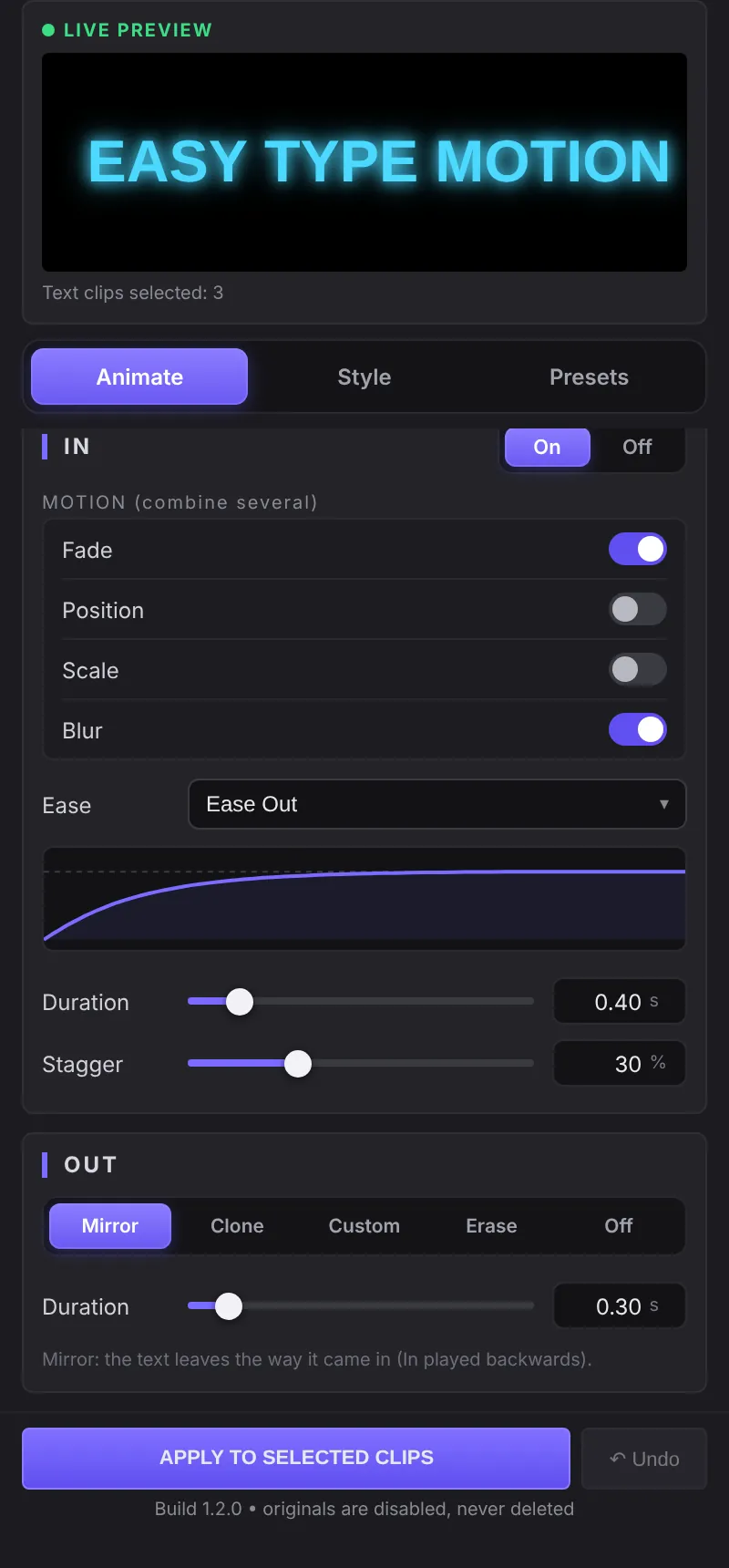
Turn on the motions you want and stack them. Fade, slide, scale and blur work together, with timing you can see before you apply.
- Combine motions. Fade, Position (up, down, left, right), Scale and Blur in any mix.
- Seven easing curves. Ease Out, Ease In Out, Bounce, Elastic, Linear, Ease In and Step.
- Stagger control. Decide how much each letter or word overlaps the next.
- In and Out animations. Mirror, Clone, Custom or Erase the text on the way out.
Finish it with a style.
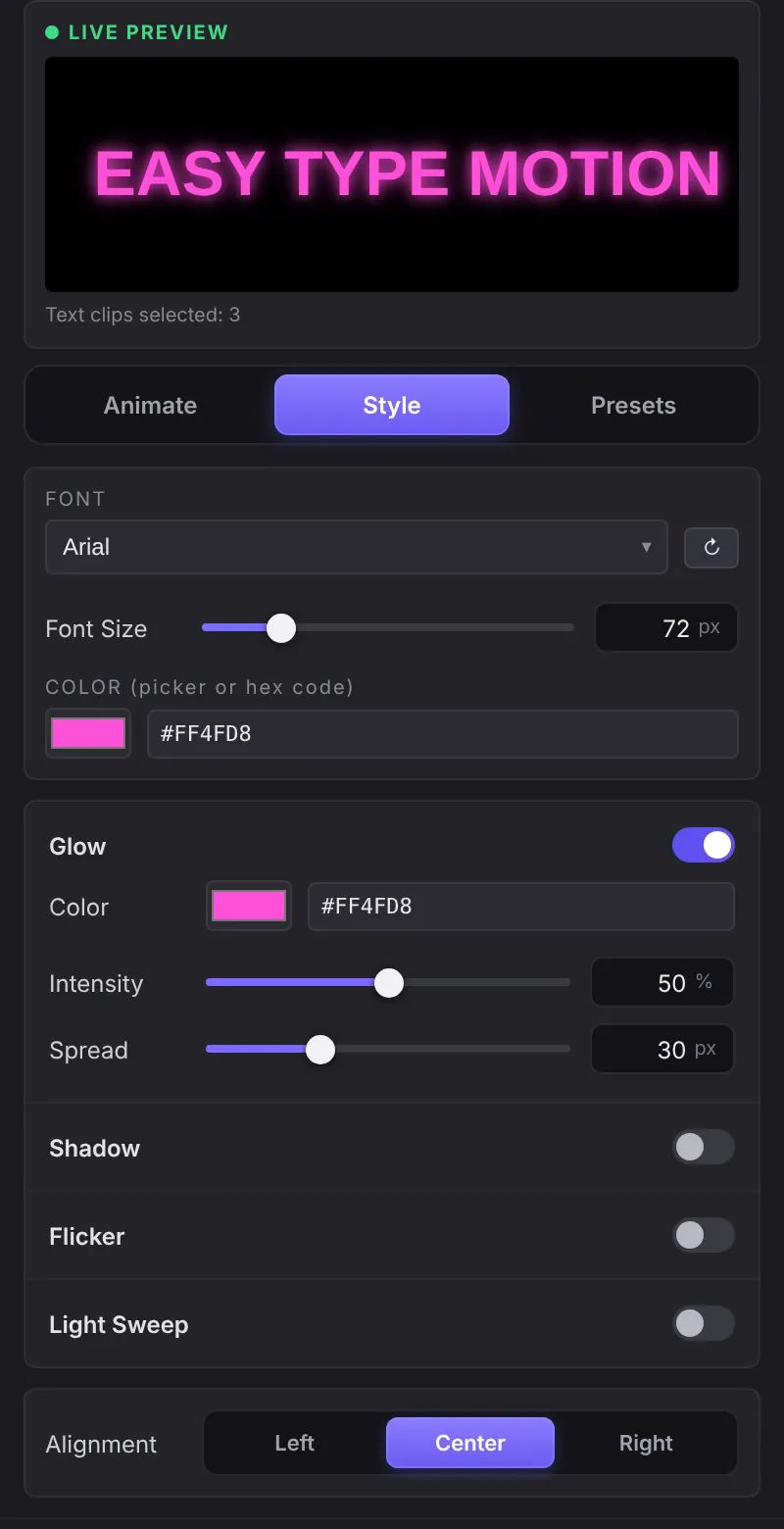
Give the text a look that matches your video, using any font installed on your computer.
- Glow. Neon-style glow in any color, with intensity and spread.
- Shadow. Soft drop shadows or hard comic shadows with angle and distance.
- Flicker. Broken-neon flicker at the start, middle or end.
- Light Sweep. A shine that passes over the text once or on a loop.
- Your fonts and colors. Pick from installed fonts and type exact hex codes.
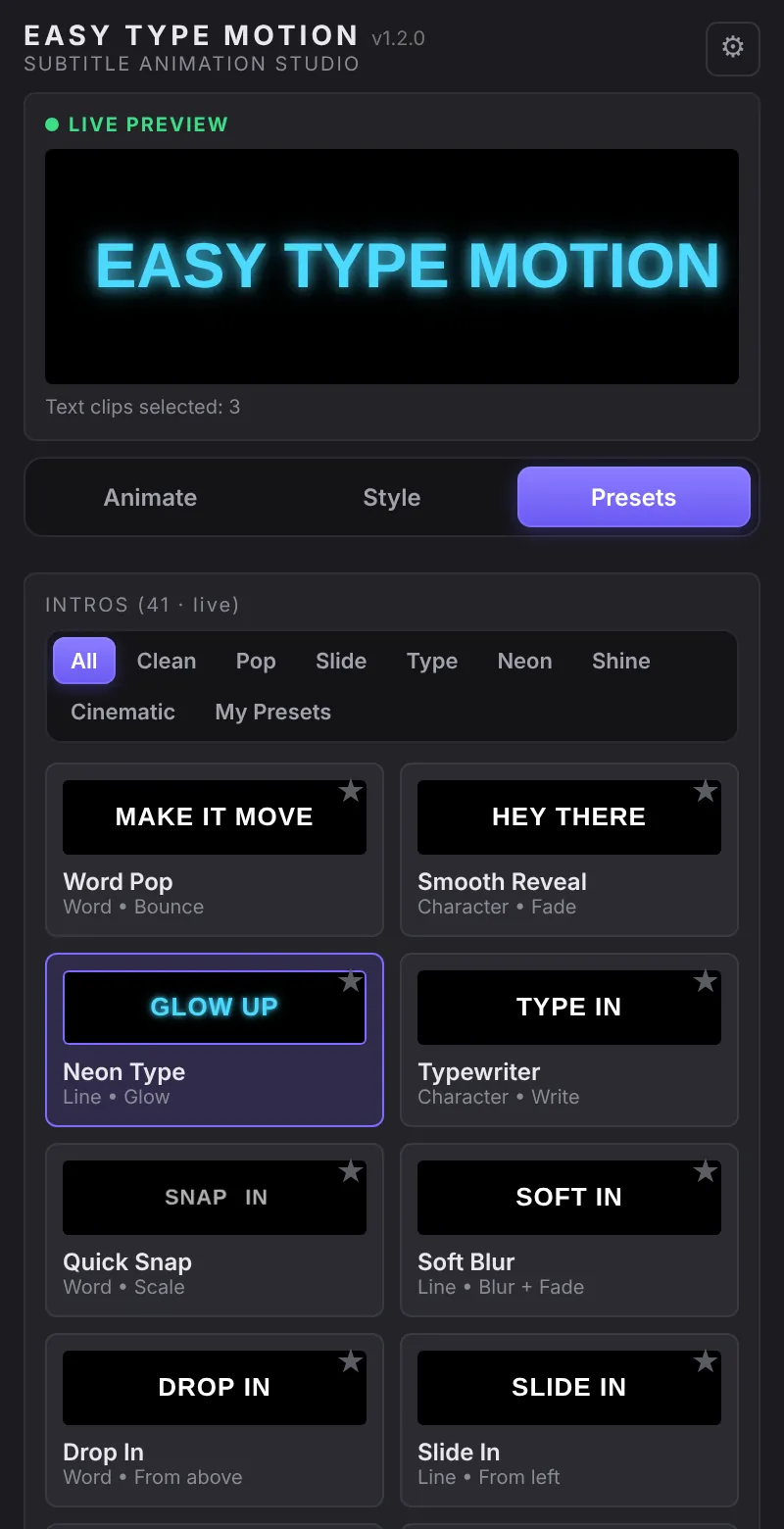
41 intros ready to use.
Start from a preset and tweak it, or save your own looks to use again on the next project.
- Seven categories. Clean, Pop, Slide, Type, Neon, Shine and Cinematic.
- Typing effects. Typewriter, blinking cursor, backspace and a natural human rhythm.
- My Presets. Name and save any look you build.
Works with your language.
Latin, Cyrillic and right-to-left scripts like Persian and Arabic. For right-to-left text, switch Premiere's text engine to “South Asian and Middle Eastern”.
Keyframes by hand vs Easy Type Motion.
| By hand | Easy Type Motion | |
|---|---|---|
| Animate 20 subtitle clips | Keyframe each clip, one by one | Select all, press Apply once |
| Letter-by-letter animation | Needs After Effects | Built in, no After Effects |
| Change the look later | Redo every keyframe | Select the clips, apply a new preset |
| Glow, flicker, light sweep | Stack and tune effects manually | One switch each |
| Made a mistake | Fix clip by clip | Undo last apply restores your originals |
Pay once. Keep it.
No subscription. Your license key works on two computers, and every 1.x update is free. This launch price is for early buyers and will go up later.
- Adobe Premiere Pro 2025 (v25) or newer.
- Windows. macOS support is planned.
- After Effects not required.
One-time payment
- All 41 intro presets
- Animate, Style and My Presets
- License for 2 computers
- Free 1.x updates
- Download link and license key by email
Questions.
Do I need After Effects?
No. Everything runs inside Premiere Pro. You only need Premiere Pro 2025 (v25) or newer.
Does it work on Mac?
Not yet. The current version is for Windows. macOS support is planned.
Does it work with captions?
Yes. Convert your captions with Graphics and Titles > Upgrade Caption to Graphic, then select them and press Apply.
What happens to my original clips?
They stay in your timeline, switched off. The animated copies go on an empty track above. Undo last apply removes the new clips and switches your originals back on.
Is this a subscription?
No. You pay once and keep using it. Updates for version 1.x are free.
How many computers can I use it on?
Two. You can move the license to another computer from inside the panel.
How do I get it after paying?
You get an email with the download link and your license key right after payment.
Can I get a refund?
If Easy Type Motion doesn't work on your system, email us within 14 days of purchase and we'll help you fix it or refund you.
Stop keyframing subtitles by hand.
One-time payment · No subscription